Transferring files from your local computer onto DaDesktop machines
One long-requested improvement is the option to move files from a Trainer's personal laptop or desktop straight into the DaDesktop environment. These might be slide decks, installer ISOs for use in a nested virtualisation setup that lets you run several servers and desktops, or simply everyday files needed for a specific training application.
The team has introduced a straightforward file transfer capability in our newest Win 10 and most Linux templates. Now you can just drag items from your host machine (your local laptop or desktop) and drop them directly into the DaDesktop workspace.
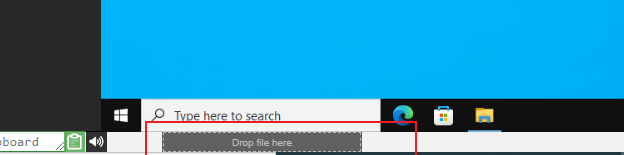
Right now, you can only move one file at a time. If you have several to send across, just zip them up and drag the archive over. The transfer splits large files into chunks, making it efficient, and it performs best over a speedy fibre connection. Any directory structure inside the archive (like a zip folder) stays intact.
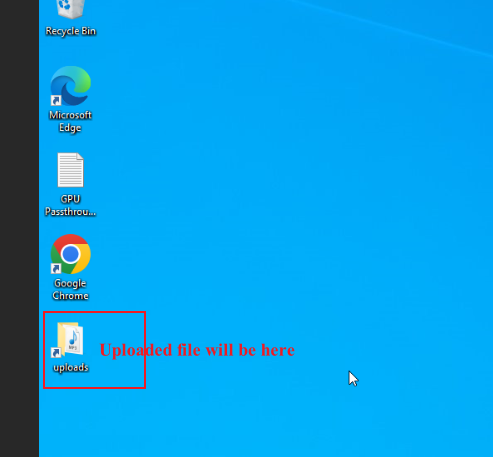
On Linux templates we don't yet put a desktop shortcut to the Uploads folder like Windows does. So you'll find your files here:
/home/student/uploads-to-dadesktop
A quick round-up:
OS Templates that currently have this feature enabled
- Debian 12 – v20240314 and above
- Ubuntu 22.04 – v20240314 and above
- Ubuntu 24.04 – v20240314 and above
- Windows 10 – v67 and above
OS Templates that do not have this feature enabled (as yet)
- Debian 11
- Almalinux
- Kali-linux
- Any older template versions
We'll be rolling out more updates to this early-stage feature soon.
If you have feedback, reach out via our DaDesktop technical support chat.