Work Desktop Management
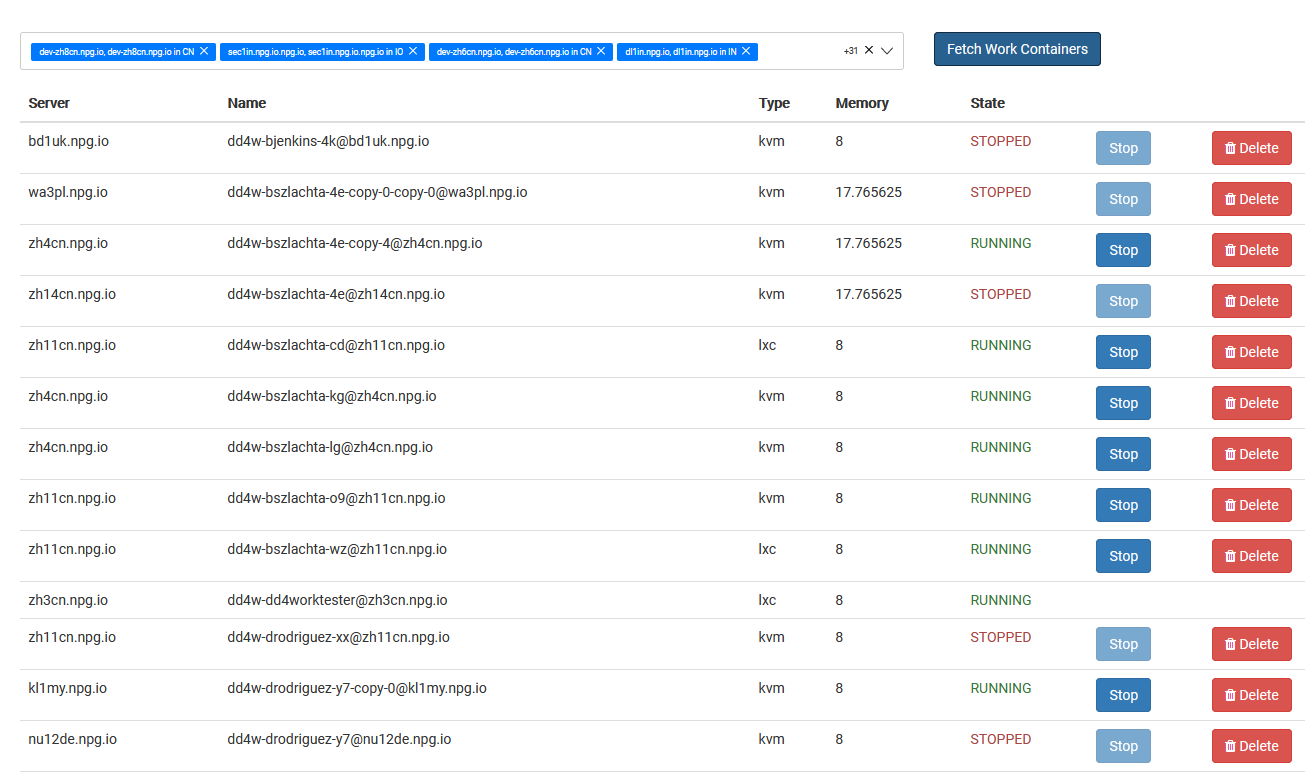
Super Administrators can access the Managing Work Desktops page to oversee and administer every DaDesktop for Work desktop in a unified view. These work desktops, built for sustained usage, are allocated to specific users, guaranteeing them persistent, secure access to their desktop workspace.
Work Desktop Listing
This view shows every work desktop alongside its current state and key details, enabling admins to swiftly spot desktops, check availability, and take action as needed.
Actions at Your Disposal
Based on each desktop’s status, admins can execute administrative tasks right from the screen, supporting desktop upkeep over its entire lifespan and making sure users never lose access to their assigned workspace.
Central Administration
The Managing Work Desktops feature offers a unified dashboard to oversee all work desktop resources. Super Administrators can monitor and control user desktops from one place, streamlining administration while keeping training or standalone desktops untouched.